The short answer: a vacancy fills when the right renter sees it this week. Post each unit with the rent, the area, the move-in date and real photos in the rental, housing, new-to-town and student groups around it, repost on each group's allowed day until it's let, and reply to every message the same day. Groups are free and full of renters, but reposting a unit to dozens of groups by hand is where landlords give up. AutoGP writes it once and keeps it in front of those groups until you say stop.
For agents selling homes rather than letting them, see our guide for real estate agents. For other kinds of business, see all our business guides.
Where renters look on Facebook
- Rental and housing groups:
[city] apartments for rent,[city] houses for rent,[city] rooms for rent,[town] housing. - Buy, sell and rent groups: the town's general swap groups often allow rentals on any day.
- Movers-in:
new to [city],moving to [city], relocation groups, and groups for the big local employers, the hospital and the base. - Students:
[college] housing,[college] off-campus housing,[college] class of [year]parents' groups. - Short stays:
travel nurses [city],[city] temporary housing, groups for local events and tournaments.
Tenants in these groups have been burned by scams, so the post that wins is the one that looks real: your own photos, a clear address area, and viewings in person.
The listing post
Every section below starts from one post. The facts stay fixed, the wording changes from group to group.
{Available|For rent|Now leasing} [date]: [beds] bed, [baths] bath [type] in [area]
[rent] a month · deposit [amount] · [utilities included or not]
[Two features that matter: parking, laundry, yard, pets policy]
{Viewings|Showings} in person [days]. {Message me|Send a message} with your move-in date.
Say the rent and deposit outright; "DM for price" posts are skipped and often removed. Post only units you can really show, and take the post down, or edit it to "let", the day it's gone.
How to find tenants as a landlord
- Search Facebook for:
[city] apartments for rent,[town] housing,[town] buy sell rent,new to [city],[employer] employees. - What works: daylight photos of every room, the exterior and the street, the rent and total move-in cost, lease length, pets policy and parking. One small landlord who answers questions plainly stands out against the listing sites.
- Screening, fairly: state your criteria in the post and apply them to every applicant the same way, such as income as a multiple of rent or references. Unequal answers to different people is where fair housing complaints start.
- Rhythm: post the vacancy as soon as notice is given; repost on each group's allowed day until signed.
- Yearly calendar: late spring and summer are the busiest moving months in most places; students look before each term; winter vacancies need more groups, not less.
How to fill vacancies as a property manager
- Search Facebook for: the groups above for every area you manage, plus
[neighborhood] communityand[city] relocation. - What works: one post per unit, not one post listing twelve, so each reaches the groups for its area. Name the management company and give one contact for all units.
- Bundles: group your groups by area, so a two-bed downtown goes to downtown and commuter groups and a family house goes to school-district groups.
- Rhythm: a standing weekly slot for all open units; new vacancies go into the next run.
- Calendar: end-of-lease waves (often summer), new-hire seasons at the big employers, and the college year.
How to rent out a room
- Search Facebook for:
[city] rooms for rent,[city] roommates,[college] housing,[city] sublets,[city] interns housing. - What works: the room, the shared spaces and the house as they are; the rent with bills or without; what's shared and what's private; quiet hours, guests and cleaning, stated as house rules for everyone.
- Say how long: a sublet for a summer and a room with no end date find different people.
- Calendar: internship season (May to August), term starts, and January.
{Room available|Room for rent|Spare room} [date] in [area]: [rent] a month, [bills included or not]
{Shared|Sharing} kitchen and bath with [number] others · [furnished or not]
{House rules|Good to know}: [two rules that apply to everyone]
{Message me|Send me a message} to arrange a viewing.
How vacation rental hosts get direct bookings
- Search Facebook for:
[region] travel,[region] vacation rentals,things to do in [town],[event] [year],travel nurses [city],[sport] tournament [town] parents. - What works: open dates first, then sleeps, beds, what's nearby, the nightly or weekly price and cleaning fee, and your house rules. Weekends around events and school holidays are the easiest to fill.
- Keep it honest: the photos, the capacity and the fees in the post must match the stay.
- Permits: many cities limit short-term rentals, and some require a registration or permit number in every listing. Check yours before posting.
- Calendar: shoulder seasons and the gaps between bookings; local festivals, graduations and sports seasons.
The rules for rentals
- Fair housing (US). The Fair Housing Act bans ads that show a preference based on race, color, religion, sex, disability, familial status or national origin. Describe the property, not the tenant: no "no kids", "perfect for a Christian couple" or "able-bodied". Many states and cities add more protected groups, such as source of income.
- Choosing groups is part of the ad. Post a unit in groups by area and by what people need (rooms, family homes, student housing), not in groups chosen for who their members are.
- Deposits and fees. Many places cap deposits and application fees. Put the real amounts in the post.
- Short-term rental laws. Registration, permits, taxes and HOA rules vary by city.
- Meta's policies. Group rules decide whether rentals are allowed in each group. Meta's Commerce Policies govern listings in Marketplace, and paid housing ads fall under Meta's special ad category rules, which don't apply to an ordinary group post.
This is general information, not legal advice.
Doing it with AutoGP, step by step
AutoGP is a Chrome extension paired with your autogp.ai account. It publishes ordinary posts to groups you've joined, as the Facebook profile logged into Chrome, and never asks for your Facebook password. Chrome stays open while it posts. AutoGP isn't affiliated with Meta.
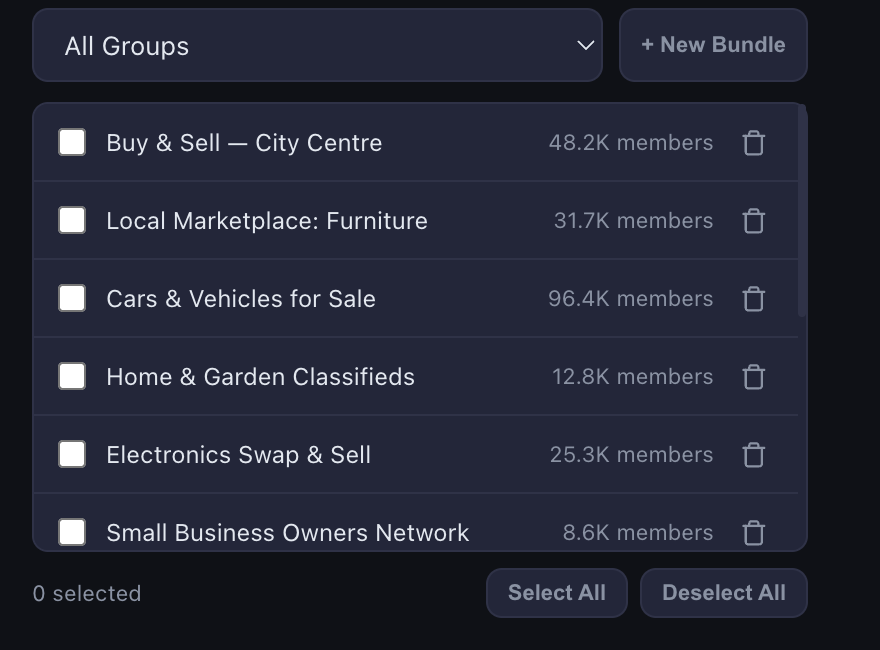
Sync your groups in the Groups tab and bundle them by area and kind: "Downtown rentals", "Student housing", "Relocation groups".
Write one listing post per unit, with spintax for the wording and up to 10 photos, varied slightly for each group. Put the application or viewing link in First Comment where groups allow links.
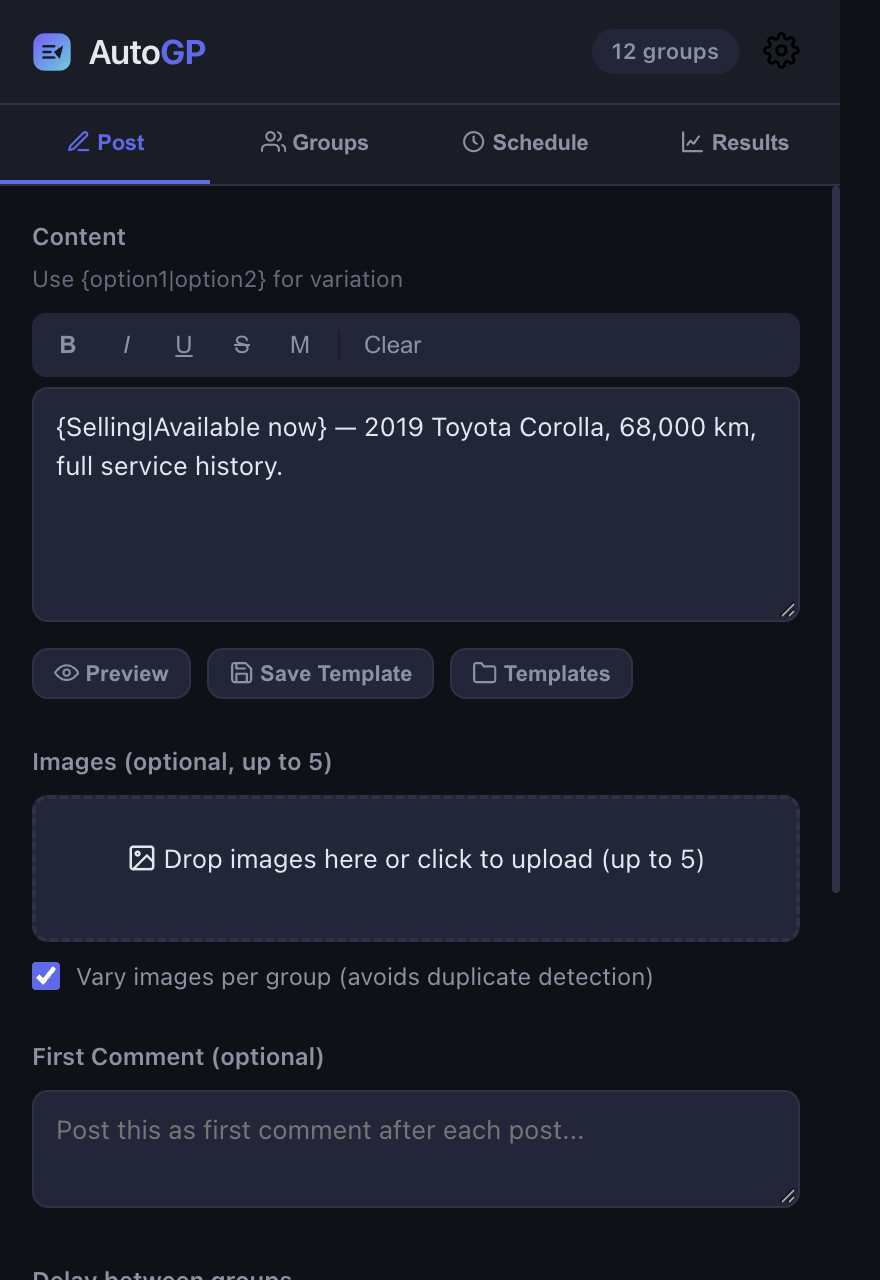
Preview every version and check the rent, the deposit and the date.
Schedule and repeat it in the Schedule tab: once a week per group on its allowed day, until the unit is let. Then stop the repeat.
Check Results to see which groups it went up in and which are pending an admin's approval, and reply to comments from there.
Protection is on by default: a warm-up daily limit set by your account's age, random delays, and a guard against near-identical posts. After 19 free posts (no card), see pricing. Any posting tool carries some risk to your Facebook account, which our terms explain.
What not to do
- "DM for price." Renters skip it, and many groups remove it.
- Stock photos, or photos of a different unit. It reads as a scam, and it's one.
- Asking for a deposit before a viewing. Honest renters walk away.
- Describing the tenant you want rather than the home.
- Leaving a let unit up. Edit it or take it down the same day.
- The same post in every group every day. Once a week per group is enough; see posting limits.