In short (November 2026): Buffer, Hootsuite, Publer and SocialBee can't publish to Facebook groups since Meta removed the Groups API in 2024. Agencies use a Chrome extension that posts as the client's Page or a profile. We make one, AutoGP; its Agency plan covers up to 10 profiles or Pages.
If you post for clients, your scheduler still handles their Pages and Instagram, but not the Facebook groups where their buyers, members and neighbours talk. Meta's v19.0 changelog deprecated the Groups API and its publish_to_groups permission in January 2024, and the removal took effect on April 22, 2024. Since then a group post can only be placed through Facebook itself: by a person in the group, or by a browser extension working in that person's own logged-in session. The full story, tool by tool, is in why Buffer, Hootsuite and Zapier can't post to Facebook groups.
This page is for people who post on someone else's behalf. If the business is your own, start with our guides by kind of business.
What each scheduler does with groups today
Each of these is still a good tool for Pages and the rest of a client's calendar. For groups, from their own help pages:
- Buffer: notification publishing. At the scheduled time its phone app reminds you, and you paste and post in Facebook yourself.
- Publer: its help center says Meta removed public API access for groups, so a group post arrives as a push notification from Publer's mobile app and you finish it in Facebook.
- SocialBee: Universal Posting keeps group posts on the calendar and reminds you to publish each one by hand.
- Hootsuite: its Facebook connection lists Pages, not groups.
- Meta Business Suite: plans posts for Pages and Instagram. Facebook's own group scheduling happens inside a group, and only its admins and moderators can use it.
A reminder per group works for three groups. For thirty groups across five clients, it's an afternoon of copy, paste and post.
Three ways agencies post to clients' groups now
- Facebook's own scheduling, in groups the client runs. If the client has its own community group, ask to be made an admin or moderator. You can then schedule posts in that group for free, and they go out with your computer off. It covers only groups you manage, one at a time.
- Reminders, for a handful of groups. Buffer, Publer and SocialBee keep the group posts on the client's calendar, and you place each one by hand.
- A browser extension that posts from the account itself, for dozens of groups. It runs in Chrome on your computer, where the client's Page or a profile is active on facebook.com, and posts to the groups that account has joined, one after another, with gaps between groups. AutoGP is this kind of tool, and so are the others in our comparison of group posting tools.
How several clients' accounts work in practice
- AutoGP posts as whoever is active on facebook.com in that Chrome. The panel shows it under Posting as, as a personal profile or a Facebook Page. AutoGP never logs in or switches accounts for you: you switch on facebook.com, with Facebook's own account switcher or by switching into a Page, then press Refresh from Facebook and sync that account's groups.
- A client's Page is the clean set-up. The client gives your own Facebook profile access to their Page, so no password changes hands, and you switch into the Page to post as it. Some groups don't let Pages join or post, so a Page usually reaches fewer groups than a profile.
- Each client gets a space. On the Agency plan you pick the client you're working on at the top of the panel. Each client has its own groups, bundles, templates, draft, results and past runs, so one client's groups stay out of another client's runs. Scheduled posts share one list, each tagged with its client, and go out whichever client is open.
- Each client remembers the accounts it posts as. A client's first run adds the Facebook account it ran as, and Manage clients adds or forgets others. If Facebook in Chrome is logged in as someone else, the client turns amber and AutoGP holds the run until you choose: don't post, post as that account this time, or add it to the client. A client's scheduled post that falls due while another account is logged in waits on the Schedule tab instead of posting.
- Some things are shared by every client: your settings, each Facebook account's daily pace, and the post history that spaces out posts to the same group. One AutoGP login holds every client, with no separate seats for team members.
What the Agency plan gives you
- Up to 10 Facebook profiles or Pages, clients' included. Each profile or Page AutoGP posts as counts once per billing month, however often it posts. Your dashboard lists the month's accounts, and Remove frees a slot straight away for one you've stopped using; that account can't post again until the next billing month. Need more than 10? Email support@autogp.ai.
- No monthly post limit. Each Facebook account still keeps its own daily safety pace, which starts careful on a young account and grows with it.
- Client spaces. A space for each client, with its own groups, bundles, templates and results, that warns you before posting as an account the client doesn't post as.
- Per-client reports. The dashboard's Client reports list each client's runs month by month, in your own time zone: when it ran, which Facebook account it posted as, how many posts went through and how many didn't. Download a month as a CSV, or open a printable report to send the client. Which groups each post reached stays in the extension on your computer.
- Every feature. Spintax, up to 10 photos or one video, a first comment for links, templates, group bundles, scheduled and repeating runs, and a result with a reason for every group.
There are no prices on this page: the pricing page shows them, and you can start with 25 free posts, no card needed, before you choose a plan.
Doing it with AutoGP, step by step
Agree the job with the client: which groups, what kind of post, how often, and that you'll post as their Page. Put it in writing.
Get Page access, not a password. The client gives your own Facebook profile access to their Page in the Page's settings.
Switch to the client's Page on facebook.com, in Chrome on your computer. Open AutoGP and press Refresh from Facebook under Posting as; it should say Facebook Page.
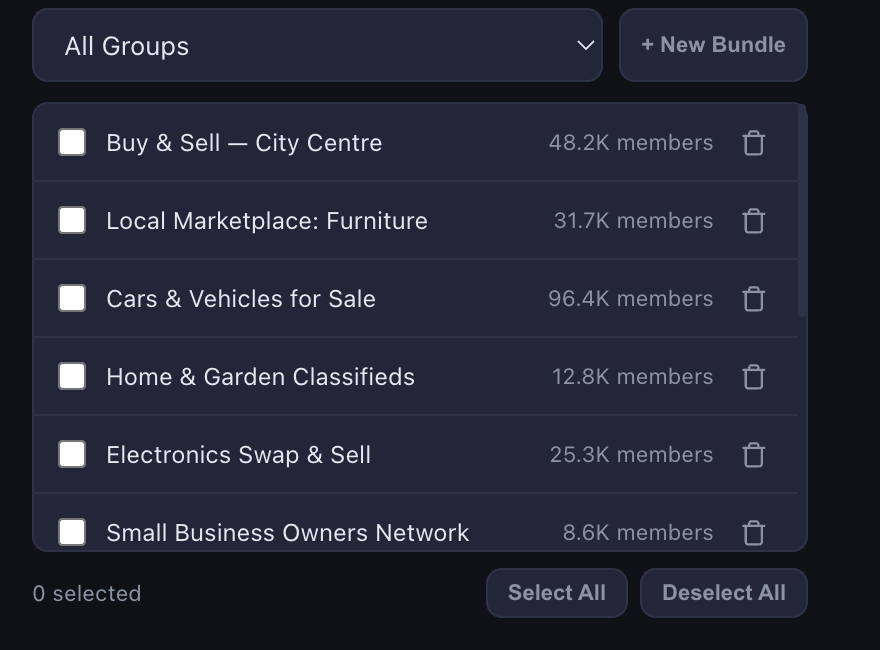
Make the client's space. Pick New client from the client picker at the top of the panel, then press Sync Groups on the Groups tab to load the groups the Page has joined. Save the ones you use together as bundles.
Write the post once on the Post tab: the text, photos or a video, a First comment for the link, and + Add version so the groups don't all get the same words. Press Preview before anything goes out.
Post now, or schedule. Press Start posting, or Schedule… for later or on repeat, and leave Chrome open and logged in as the client's Page until it's done.
Report back. The Results tab gives every group's outcome with its reason, and Client reports on your dashboard give the client's month as a CSV or a printable page.
Honest limits
- Chrome on a computer. Windows, Mac or Chromebook, on and awake, with Chrome open; a locked screen is fine. It doesn't post from a phone or from a server, and a scheduled post only goes out if that computer is running at its time. Keeping scheduled posts running explains the set-up.
- One Facebook login at a time in each Chrome. A client's run posts as whoever is logged in until it ends. AutoGP checks the account when a client's run starts and when its scheduled post falls due, not before every group, so don't switch Facebook accounts while a run is posting.
- Only groups the account has joined, and only where the group lets it post. Some groups don't take posts from Pages, so a client's Page usually reaches fewer groups than a profile would.
- The client's permission, and each group's rules. Agree in writing what you'll post, where and how often; our terms (section 4.1) ask you to post as a client's Page or profile only with its owner's permission. Read each group's rules: many allow business posts on one day only, and admins remove posts that break them.
- No password sharing. Facebook's terms say people shouldn't share their password or give others access to their account. Page access, which the client gives your own profile on Facebook, is the clean way to post as a business.
- No tool can promise Facebook won't restrict an account, AutoGP included. It keeps each account to a daily limit set from its age, varies the wording with spintax, waits a random time between groups and stops the run when Facebook objects. AutoGP isn't affiliated with Meta, and our terms explain the risk.