Town Facebook groups are full of questions like these: can anyone recommend a house cleaner, a handyman for a small job, someone to walk the dog next week? If you clean, fix, mow, groom, style, tutor, photograph or move, that's where people who need you are asking.
The hard part is the rules. One group takes business posts on Saturdays only, the next in a pinned weekly thread, and a third lets owners answer requests but bans ads. You're likely in a dozen groups across the towns you serve, many of the same neighbors are in several, and one ad pasted into all of them on the same morning looks like spam to anyone who sees it twice.
Groups where service posts are welcome
- Town and neighborhood community groups. The biggest local audiences, often with the strictest rules: business posts only on one day a week or in a weekly thread.
- Local recommendation groups. Built around "can anyone recommend a plumber?" posts. Many let owners answer but ban ads.
- Local business and shop-local groups. Made for promotion, though members may be mostly other businesses.
- Groups built around a need. Parents' groups for tutors and sitters, pet groups for groomers and walkers, new-resident groups for movers and cleaners, wedding groups for photographers.
Selling items rather than your time? See buy and sell groups.
Find each group's promotion rule
Check the About section and pinned posts for:
- When and where: any day, one business day a week, or only as a comment on the admins' thread.
- How often: such as one post per business a week.
- What's allowed in the post: phone numbers, links, prices, or a required license number.
- Who may answer requests, and whether businesses from other towns are welcome.
What Facebook's rules say about services
Services don't go on Marketplace
Meta's Commerce Policies cover buying and selling through its commerce features, including Marketplace and Shops, and say commerce content may not promote buying, selling or trading services, except on the WhatsApp Business app or through Appointments. The services policy lists examples that aren't allowed, including cleaning, painting, plumbing and lawn care; pet grooming, training, sitting and walking; hair, nail and salon services; and event photography. Content that breaks the policies can be rejected or removed, so don't list a service on Marketplace. Write an ordinary post, in groups whose rules invite business posts.
Spam, misleading offers and giveaways
- Volume and repetition. Meta's spam policy covers posting at very high frequencies, by hand or automatically, and says Meta may restrict accounts that post less often when other signs of spam, such as repetitive content, are present.
- Offers that don't match the job. Its prohibited commercial practices policy covers promoting services that materially differ from what was advertised.
- Giveaways. If you use a group to announce or run a promotion, such as a contest for a free clean, Meta's Pages, Groups and Events Policies say it must meet legal requirements, like official rules, and must not require or reward sharing, reposting or tagging others.
Your own profile does the posting
AutoGP posts as the Facebook profile you're logged into. Facebook's Terms ask for one account, under the name you use in everyday life, used for personal purposes, and anyone using Meta's products for business, such as selling products, must also agree to its Commercial Terms. Post as yourself, say the business is yours, and never back yourself up from a second account.
Licensed, bonded, insured: only what's true
- The baseline. The FTC's advertising guide for small businesses says ads must be truthful and not deceptive, advertisers need evidence for their claims, and the same applies online.
- Licensed. Claim a license only while it's active. California requires licensed contractors to put their license number in all forms of advertising (§7030.5), and its contractors board counts posts that solicit business on the internet as advertising (CSLB). Without a license, you may advertise construction work there only for jobs under $1,000 in total, and the ad must say you aren't licensed (§7027.2). Interstate household goods movers must show their name and U.S. DOT number in all advertisements (49 CFR 375.207).
- Bonded. In California, a contractor's reference in advertising to the bond the law requires is grounds for license suspension (§7071.13), so check before using the word.
- Insured or certified. Name the cover or the certifying body, be ready to show proof, and drop the word if it lapses.
Keep these details outside spintax braces. This is general information, not legal advice; rules differ by state, province and country.
A service post neighbors answer
People skim town groups, so answer their first questions in this order:
- Service and area: what you do and the towns you cover.
- What's included: enough to tell a regular clean from a deep clean.
- Price, or how you quote: a starting price, a flat rate, or quotes from photos or a visit.
- Availability: real openings, not invented scarcity.
- How to book: one step, such as a message, a text, or a link where links are allowed.
- Credentials: only true ones.
Use photos of your own work, with the customer's permission.
In AutoGP, {option one|option two} picks one option at random for each group; don't put braces inside braces. In this house cleaner's template, everything a customer relies on stays outside the braces: towns, prices, days, phone number and insurance.
{House cleaning|Home cleaning} in Elm Park, Riverside and North Hills
{What's included|Included}: kitchen, bathrooms, dusting, vacuuming and mopping. {I bring all the supplies|All supplies provided}.
From $120 for a 2-bedroom home. Deep and move-out cleans: {send a few photos for a free quote|free quote from a few photos}.
{Openings|Available}: Tuesday to Friday, from the week of October 5
{To book|To get on the schedule}, {message me|send me a message} or text 555-0142.
Insured (general liability), {certificate on request|happy to show the certificate}.
One version it can produce:
Home cleaning in Elm Park, Riverside and North Hills
Included: kitchen, bathrooms, dusting, vacuuming and mopping. All supplies provided.
From $120 for a 2-bedroom home. Deep and move-out cleans: free quote from a few photos.
Available: Tuesday to Friday, from the week of October 5
To get on the schedule, send me a message or text 555-0142.
Insured (general liability), certificate on request.
More in spintax for Facebook groups.
Answering comments and recommendation requests
- Reply with the facts from your post, and say so when a job is outside your area or skills.
- Answer "recommend a..." posts as the owner: once, where the group allows it, saying the business is yours.
- Keep recommendations genuine. In the US, the FTC's rule on consumer reviews and testimonials took effect on October 21, 2024, and its Q&A for businesses says family members who review your business should clearly disclose the relationship. In the UK, CMA guidance treats fake reviews and reviews that conceal an incentive as a banned practice under the Digital Markets, Competition and Consumers Act 2024.
Seasons and how often to post
Post before the busy season
- Lawn care and landscaping: late winter, for spring cleanups.
- Leaves, gutters and snow: early fall, and before the first snow is forecast.
- Tutors: before school starts and before exams.
- Photographers, hair and beauty: ahead of fall family photos, prom, weddings and the holidays.
- Cleaners and movers: ahead of local move-out dates, like semester's end in a college town.
- Pet sitters: before holidays and school breaks.
When you're booked up, stop posting ads and just answer requests.
Without wearing out a neighborhood
- Treat a business day as a ceiling: one post that day at most, in groups that still bring replies.
- Split overlapping groups. Groups in one town often share members, so bundle them separately and post to them in different weeks.
- Change something real each round, like a new photo or opening, and drop groups that never reply.
- Watch your daily total. A young account shouldn't post like an established one; see Facebook group posting limits.
Doing it with AutoGP, step by step
AutoGP is a Chrome extension, opened as a side panel and paired with an autogp.ai account. It publishes ordinary posts to groups you've joined, through your logged-in Chrome session, and never asks for or stores your Facebook password. Chrome must stay open while it posts. AutoGP isn't affiliated with Meta. After 9 free posts (a one-off allowance, no card), it's $27 a month or $197 a year in the US, Canada, the UK and the EU, less in many other countries; cancel any time (pricing).
Sync your groups. In the Groups tab, click Sync Groups.
Bundle groups by business day. Select groups that share a rule, click Save as Bundle and name it, such as "Saturday business day". Leave out thread-only groups: AutoGP publishes posts, so comment on those threads yourself.
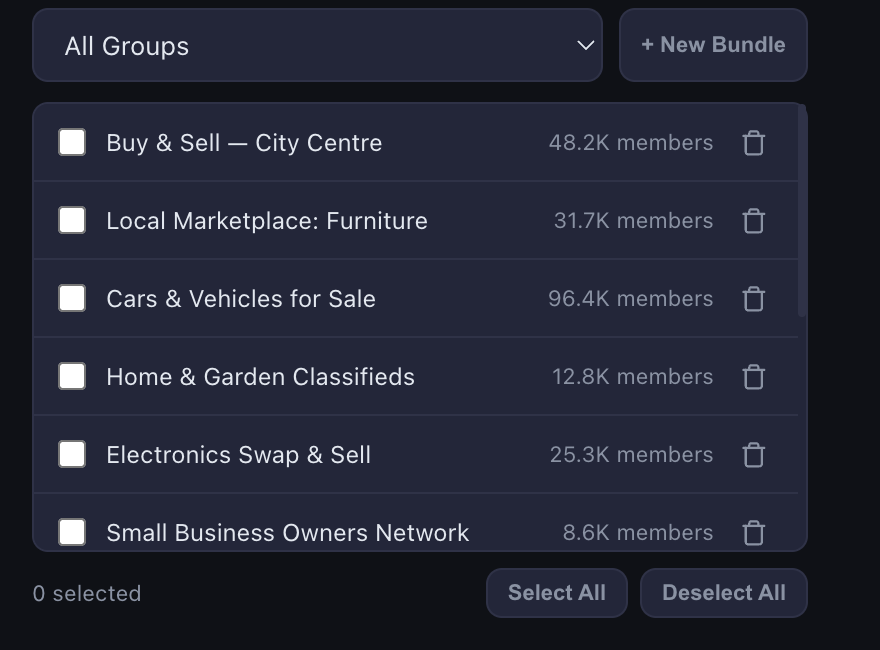
Write the post. In the Post tab, paste your template and add up to 5 photos, which are varied slightly per group. Put a booking link in First Comment (optional) if those groups allow links in comments, and click Save Template to keep the text.
Preview. Click Preview and check that towns, prices, days, phone number and credentials match in every version.
Check the pacing. Under Post to, pick the bundle, set the Delay between groups and confirm the profile under Posting as. Protection is on by default: a warm-up daily limit set by your account's age and group history (about 5 posts a day for a new account and about 30 for one over two years old, rising about 30% a week to a ceiling of 20 to 90), random delays that stretch as the day's count grows, an 08:00 to 23:00 window in your timezone, random group order, a duplicate-content guard and a check before each run. You can set your own daily limit instead.
Schedule it for the business day. In the Schedule tab, pick a date and time and click Schedule Post; for a weekly slot, tick Repeat every and enter 168 hours. Keep Chrome open that morning, because scheduled posts only go out while Chrome is running. To post now, click Start Posting in the Post tab.
Check the results. The Results tab lists the groups the post reached, with links, and the attempts that didn't go through, with the reason. Posts held for admin approval count as submitted, so don't post them again. For failed groups, use Select to retry or Copy links. If Facebook blocks, rate-limits or signs out your account, the run stops; a single group that won't take the post is skipped. Open the groups from Results to answer comments.